


Patch 2.1.01 min read
Patch 2.1.0: Original Language and Study Mode
Original Language lets you tap a word and see the Hebrew, Aramaic or Greek behind the English, with a plain definition for that verse. Study Mode opens a short article with a photograph when you tap a marked person, place or object.
At a glance
- Original Language. Tap a word to see the Hebrew, Aramaic or Greek, with a plain definition for that verse.
- Study Mode. Tap a marked person, place or object for a short article with a photograph.
- A new sermon note editor. Verses you add show in full when you read the note back.
Two new ways to tap into a verse, and both stay on the page you're reading.
Original Language
Turn on Original Language and tap a word to see the Hebrew, Aramaic or Greek behind the English. You get a plain English definition of what the word means in that verse.
It's the full version of the word taps that first showed up in Patch 2.0.2. We kept improving it after this release, too. Patch 2.3.1 has the September changes. If you like this kind of reading, word studies done right explains how to use it without over-reading a single word.
Study Mode
Turn on Study Mode and the people, places and objects in a chapter are marked. Tap one to open a short reference article with a photograph. Tap Ephesus in Ephesians 1:1, for example, and you see the ruins of the library of Celsus and what the city was like when Paul wrote to it.
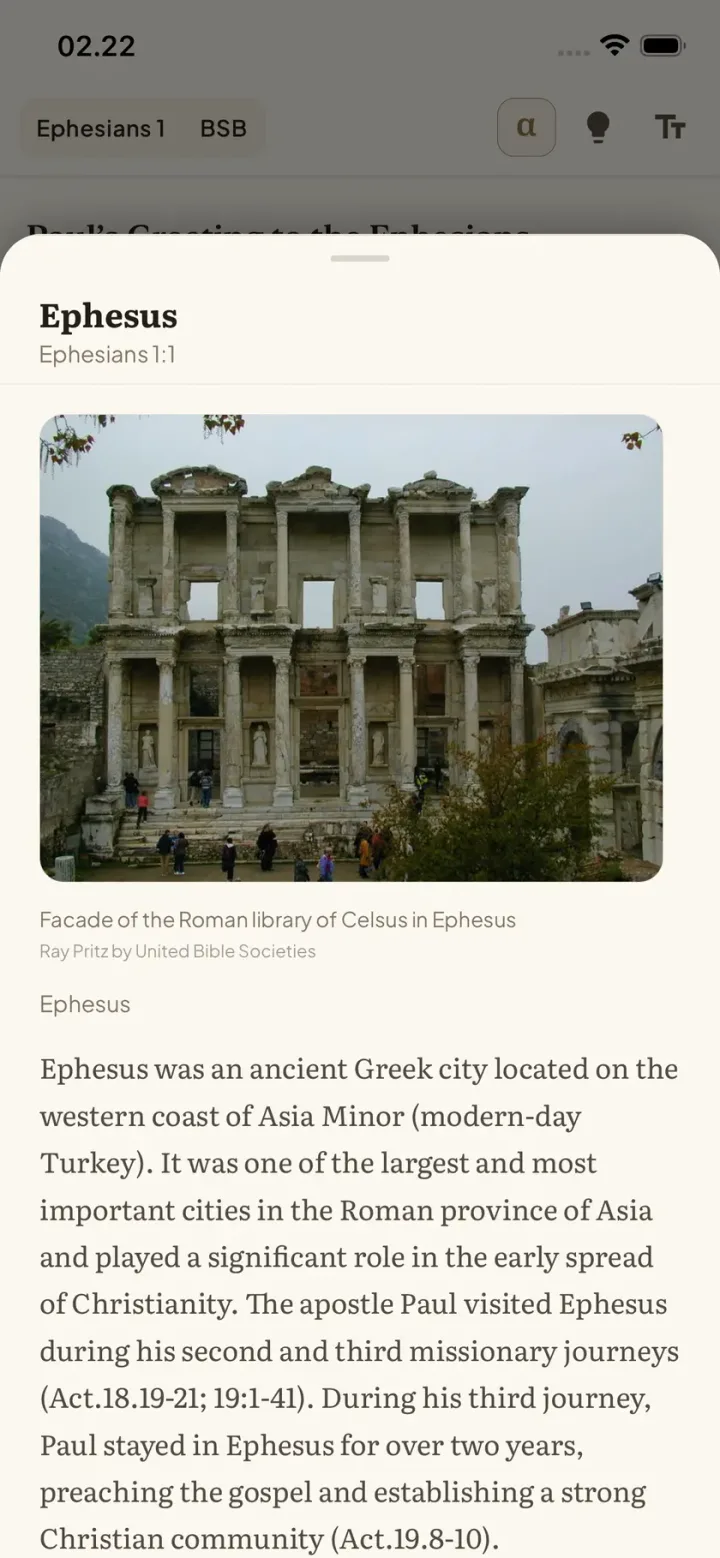
The same entries are free on the web in our Bible dictionary, like Ephesus.
Also in these releases
- New. In 2.0.3 (July): sermon notes got a new editor. Verses you add show in full when you read the note back, and a verse picker lets you search for a passage while you type.
- Better. In 2.1.1: layout improvements throughout the app on iPad.


